
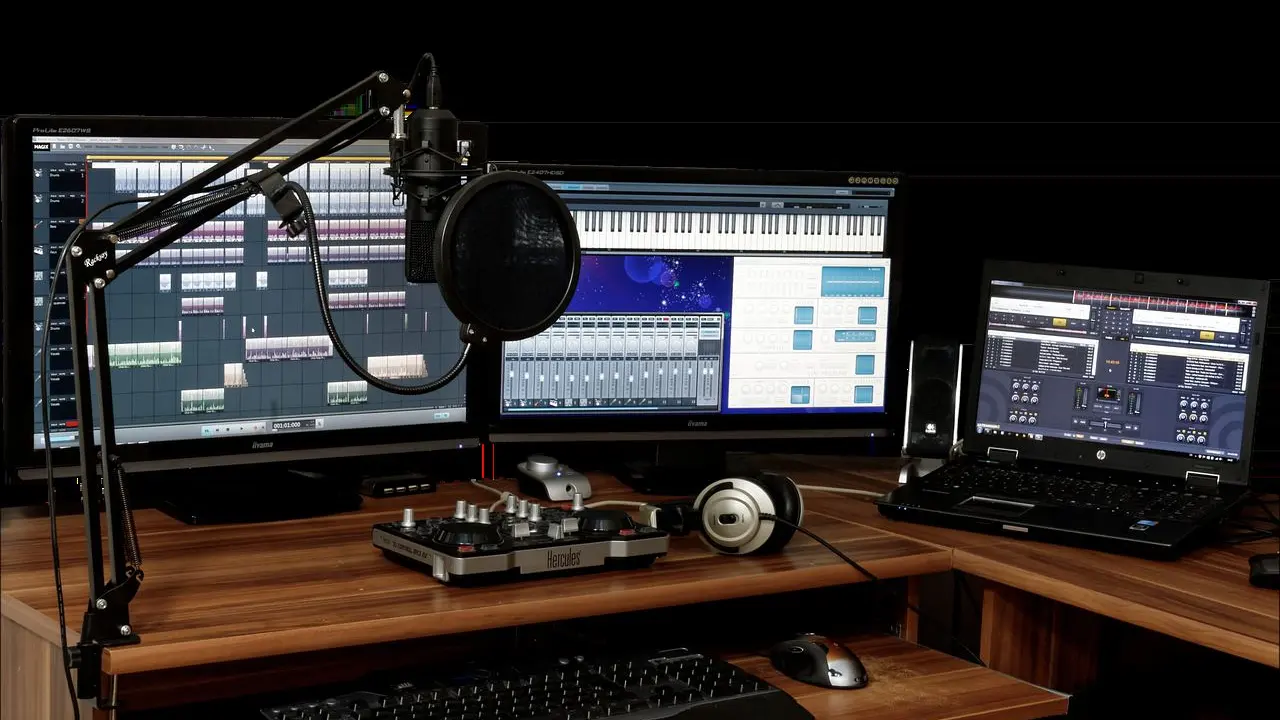
Home recording for bands means capturing songs in a rehearsal room, bedroom or garage using a computer, a few microphones and an audio interface. Good results depend more on the room and the setup than on expensive gear.
It is one practical step on the path described in what is an indie band, the main guide to independent music on this site.
The basic recording chain
Every home setup follows the same path: a sound source, a microphone or direct instrument cable, an audio interface, a computer running recording software, and headphones or speakers to listen back. Sound on Sound describes an audio interface as a device that allows you to capture and play back high-quality audio, which is why it sits at the center of the chain. It converts the analog signal from a microphone into digital data the computer can store, and converts the playback back into sound you can hear.
The software is called a digital audio workstation, or DAW. Apple describes GarageBand as a fully equipped music creation studio right inside your Mac, and the Audacity project describes its editor as free, open source, and available for macOS, Windows and Linux. Both are examples of the kind of software a band can start with at no extra cost; the same basic skills carry over to any other DAW later.
Choosing microphones
Two microphone types cover most band recording. Dynamic microphones generate a signal passively with a moving coil and magnet, so they need no power. Condenser microphones contain active electronics, so they need a power source to work.
The difference shows up in the interface settings. Elgato’s explainer on phantom power says condenser microphones need it, dynamic microphones do not, and that 48 volts is the standard voltage for phantom power on modern audio equipment. That is why the switch on most interfaces is labeled 48V. The same page notes that USB microphones do not need it either, because they draw power from the USB connection.
- Audio interface definition: capture and play back
- GarageBand description: studio
- Audacity license/platforms: free open source
- Condensers need phantom power: condenser
- Dynamics do not need phantom power: dynamic
Setting levels without distortion
The gain control on the interface sets how loud the signal is when it enters the computer. Too low and the recording is noisy once it is turned up; too high and it distorts in a way that cannot be repaired afterward. The aim is a healthy signal that stays clear of the loudest point on the meter even during the loudest chorus.
Most recording software shows this on a meter for each track. The Audacity project’s page lists per-track metering and notes that track meters show input levels while recording, which makes it easy to run a loud test pass before the real take.
Phantom power deserves a safety habit. The Elgato guide advises that you avoid plugging or unplugging a microphone while phantom power is on, and to lower the headphone or speaker volume before switching it on, since both prevent loud pops. Those details are covered on the same explainer.
Taming the room
The room shapes every recording, and untreated rooms are the usual weak point in a home setup. Sound on Sound’s Studio SOS guide says that sorting out the location of the monitors themselves should be the first priority before fixing up any acoustic treatment. The guide recommends placing the speakers symmetrically so that they form two corners of an equilateral triangle, with the listening position at or just behind the third corner, as laid out in the Studio SOS monitoring guide.
The same guide offers a simple trick for finding problem reflections: put a mirror flat on your desk between you and the speakers, and if you can see the speaker when you look in the mirror, there is a potential reflection problem to address by moving the speakers where possible.
Treatment is the next step. The guide explains that a piece of acoustic foam is only effective at high frequencies, and that carpet is relatively thin and so only soaks up very high frequencies, which leaves low and mid-range sound unaffected and gives a dull, boxy result. It also suggests that shelves at the back of your room, part filled with books, work as a cheap way to scatter reflections. High-density mineral wool slab covered with fabric is named as another option, all described in the Studio SOS guide to acoustic treatment.
Low frequencies behave differently. A separate Sound on Sound article explains that room modes are resonances that occur when a room dimension is an exact multiple of the half wavelength of a sound being played back. In practice this means bass can sound boomy in one spot and thin in another, so checking a mix on several playback systems is wise.
Recording a band: live takes and overdubs
Bands can record in two ways. A live take captures the whole group together, which keeps the feel of a rehearsal but lets sound from each instrument leak into the other microphones. Overdubbing records one part at a time over a guide track, which gives cleaner separation but takes more time and can feel stiffer.
GarageBand’s own guide covers this workflow, including how to record multiple audio takes and choose the best one, along with a built-in metronome and tuner that help parts line up.
Whichever approach is used, a few habits help. Tune before every take, use a click track for anything that will be layered, and label takes as you go so the best one is easy to find later.
Mixing and finishing
Mixing balances the recorded tracks against each other: volume, left and right placement, tone and effects. Beginners often over-process, so adjust the faders first and reach for effects only when a problem is clear. Take breaks, since ears tire, and listen at a moderate volume. Anyone concerned about their hearing should see an audiologist or doctor.
Finished songs can be released independently or taken to a label. How that choice works is covered in indie label vs major label, and the sound a band is aiming for often depends on the style it plays, as explained in indie pop vs indie rock.
Home recordings are rarely perfect on the first attempt, and that is part of the process. Each session teaches something about microphone distance, room sound and performance, and a band that records its rehearsals regularly tends to improve quickly.
Frequently asked questions
Do bands need a treated room to record at home?
Show answer
No. Moving the speakers into a better position and adding shelves part filled with books are low-cost steps described in the Sound on Sound guide, and they can be tried before any dedicated treatment is bought.
Is phantom power needed for every microphone?
Show answer
No. Condenser microphones need it, while dynamic and USB microphones do not, according to the Elgato explainer.
Can a band record with free software?
Show answer
Yes. Free options exist, including the open source editor described by the Audacity team, and many computers already include a basic recording program.
Should a band record live or one instrument at a time?
Show answer
Either works. Live takes keep energy, while overdubs give cleaner separation, and many bands use a mix of both.